
If you live in Nigeria, chances are you’ve heard people complain about NIN at least once — long queues, SIM blocks, forgotten numbers, or wrong names. Yet, despite all the frustration, the National Identification Number (NIN) has become one of the most important things every Nigerian must have.
Whether you’re a student, business owner, or just trying to keep your SIM active, this guide breaks down everything about NIN in simple terms.
What Exactly Is NIN?
NIN, short for National Identification Number, is an 11-digit unique number issued by the National Identity Management Commission (NIMC).
It is assigned to you once and stays with you for life. Think of it as your official identity number for Nigeria.

Why NIN Is Now Very Important in Nigeria
Over the past few years, NIN has moved from “optional” to almost unavoidable. Today, you need it for:
-
Linking and keeping your SIM card active
-
Opening and running bank accounts
-
Applying for international passports
-
Accessing government services and interventions
-
Verifying your identity for financial and digital platforms
Simply put, life is harder in Nigeria without NIN.
Who Can Register for NIN?
NIN registration is open to:
-
Nigerian citizens
-
Legal residents and foreigners living in Nigeria
-
Children and infants (yes, minors can have NIN)
There is no age limit, and everyone is encouraged to register early.
How to Register for NIN in Nigeria
Registering for NIN is straightforward, but patience helps.
Step 1: Fill Your Details Online (Optional)
You can start the process by filling your information on the NIMC pre-enrollment portal. This helps reduce time spent at the enrollment center.
Step 2: Visit a NIMC Enrollment Center
Go to any official NIMC office or accredited agent with:
-
Birth certificate or age declaration
-
Any valid means of identification
-
For foreigners: residence permit or ECOWAS documents
Step 3: Biometric Capture
Your fingerprints, face, and signature will be captured.
Step 4: Get Your NIN Slip
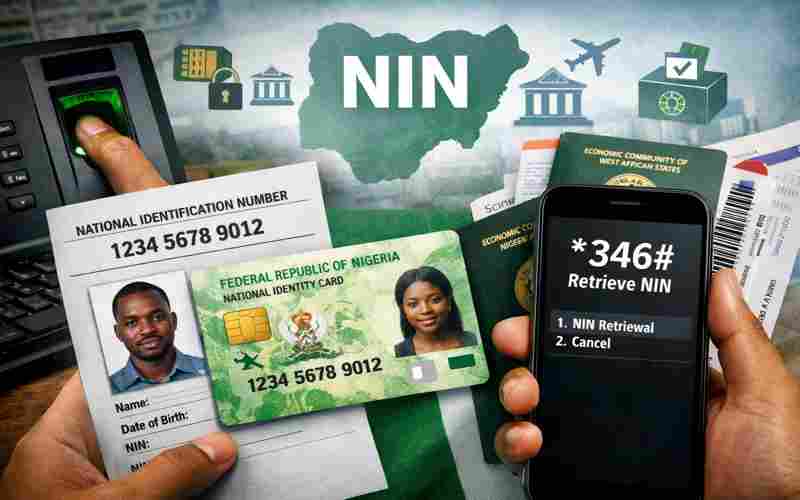
You’ll be issued a NIN slip containing your 11-digit number. This slip is what most services require — not the plastic card.
Forgot Your NIN? Here’s How to Retrieve It
If you registered with your phone number, you can retrieve your NIN easily:
-
Dial
*346# -
Follow the instructions
-
Your NIN will be displayed on your screen
A small network fee may apply.
How to Link Your NIN to Your SIM Card
To avoid SIM restrictions, NIN-SIM linkage is mandatory.
You can link your NIN by:
-
Dialing
*996#on your registered line -
Visiting your network provider’s service center
-
Using your telecom provider’s official website or app
Make sure the names on your NIN and SIM match to prevent errors.
How to Correct Mistakes on Your NIN
Errors happen — wrong spelling, incorrect date of birth, or outdated phone numbers.
To fix this:
-
Visit a NIMC office or licensed agent
-
Request a data modification
-
Provide supporting documents
-
Pay the required fee
Processing time depends on the type of correction.
NIN vs BVN: What’s the Difference?
Many Nigerians confuse the two.
-
NIN is your national identity number
-
BVN is strictly for banking
They serve different purposes but are often linked for verification and security.
Is NIN Registration Free?
-
First-time NIN registration is free
-
Corrections and reprints may cost money
-
The plastic NIN card is optional
Avoid roadside agents to prevent fraud.
Common NIN Problems Nigerians Face
-
Long queues at enrollment centers
-
Network issues during SIM linking
-
Name mismatches across documents
-
Lost NIN slips
Most of these issues can be avoided with accurate information and early registration.
Tips to Avoid NIN Stress
-
Use the same name format everywhere
-
Keep a soft copy of your NIN
-
Register with a phone number you won’t abandon
-
Deal only with official NIMC centers
Final Thoughts
NIN is no longer just a government number — it’s a key part of daily life in Nigeria. Getting it right early saves you from unnecessary stress later.
If you haven’t registered or need to correct your details, now is the best time to act.
For more clear tech guides and digital updates in Nigeria, keep reading Techland.


 By
By